This release is driven by feedback from our Partner community and brings a range of improvements and new features.
Lire la suiteDynamics 365 Business Central: The importance of using a prefix or a suffix
Wednesday, April 3, 2019
Reading time: 2 minutes
We’ll explore the importance of using a prefix or a suffix when writing AL code for Dynamics 365 Business Central and how they impact the outcome of your solution.
Let’s investigate this concept by creating two apps, we’ll name the first one ‘GreetingsApp’ and the second ‘HelloApp’.
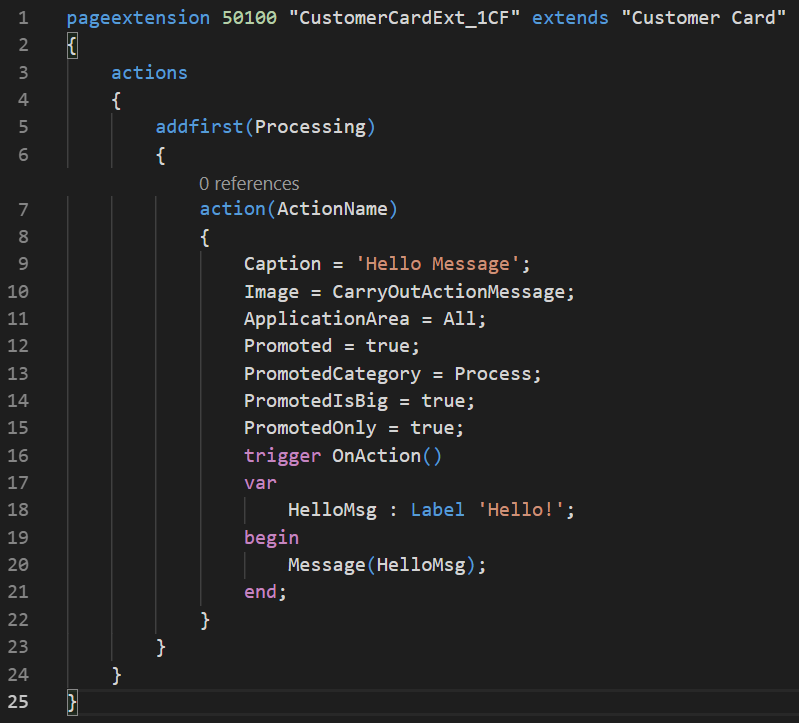
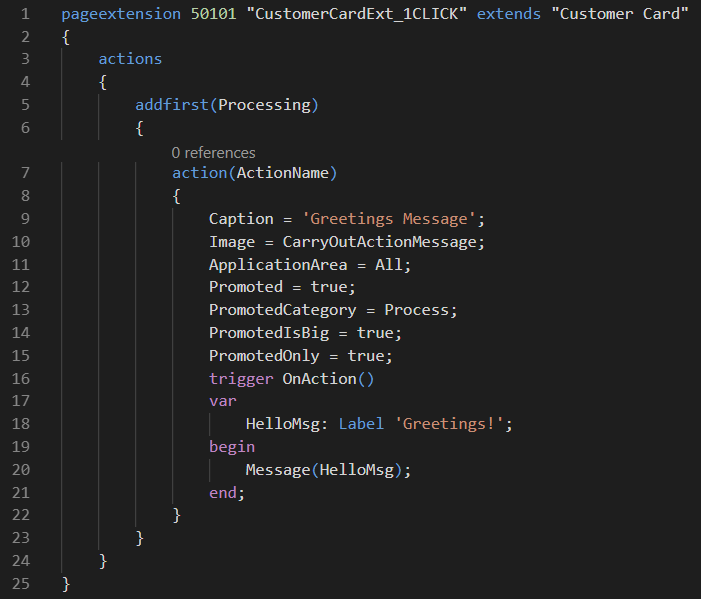
The source code of the apps
The source code of these apps are quite similar, but the main differences are that the object ID, object name, action caption and HelloMsg values are different. Notice how the action name is the same in both apps, we’ll come back to this shortly as this is where a prefix or suffix can provide an advantage.
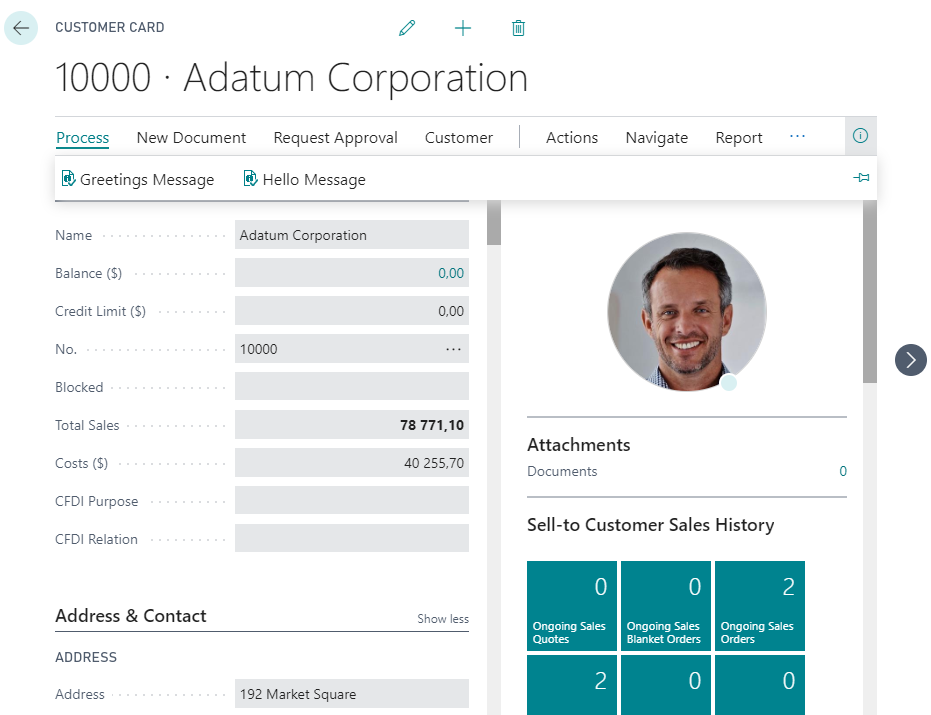
Let’s install those two apps in Dynamics 365 Business Central and once installed, we’ll open the customer card to check that both apps appear in the customer card, see image below.
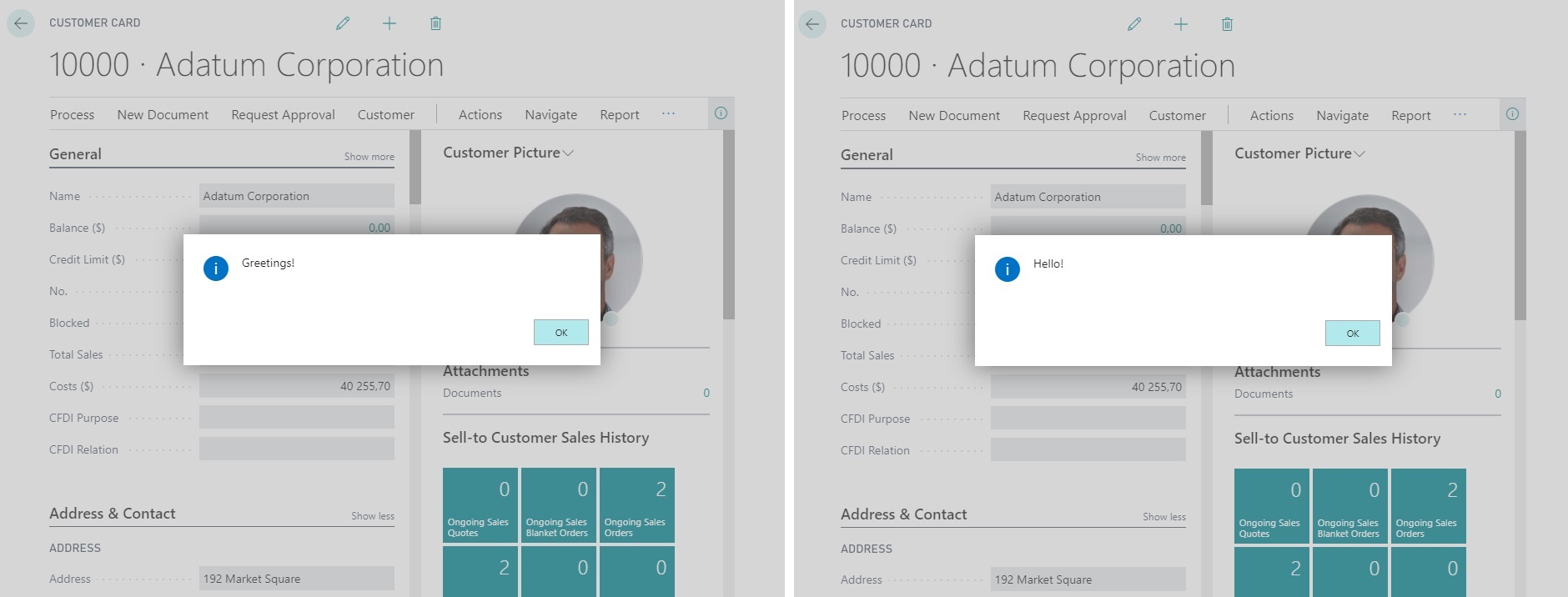
Next, let’s click on either action; ‘Greetings Message’ or ‘Hello Message’ and notice that the same ‘Hello!’ message appears for both actions (see image below). This demonstrates what happens if we omit a prefix or a suffix in the action name!
In order to fix this problem, we must modify the code of the apps to add a suffix or a prefix to the action name, see image 5 below.
Once we add a prefix or a suffix to the action name we can then test our apps to check if we are getting the right messages from the actions (see images below).
The apps are now displaying the correct messages since we added a suffix to the action name. To ensure success with using a prefix/suffix, it’s important to keep a few things in mind:
- The prefix/suffix must be at least 3 characters.
- The object/field name must start or end with the prefix/suffix.
- If a conflict arises, the one who registered the prefix/suffix with Microsoft always wins.
We hope this post has provided you with a better understanding of the benefits of using a prefix or a suffix in Dynamics 365 Business Central app development. If you have any questions or need help with Dynamics 365 Business Central app development, contact your nearest Companial Team today!
En savoir plus sur Business Central
WAIR
WAIR strongly recommends Companial’s ISV Partnership Program to other ISVs looking to grow.
Lire la suiteUpgrading to a Preview Environment in Business Central 26.5 – Why You Should Care
Microsoft released version 26.5 of Business Central, and with it came a small but powerful change that many of us ...
Lire la suiteWhat’s New in Microsoft Dynamics 365 Business Central 2025 Release Wave 2 – eCommerce and Electronic Documents
Over the past month, Microsoft has been releasing documentation highlighting what’s new and planned for Microsoft Dynamics 365 Business Central ...
Lire la suiteIndustry-focused GTM A Guide for Microsoft Dynamics 365 Business Central Partners
Your ultimate guide to crafting high-converting go-to-market strategies tailored to four high-potential industries
Lire la suiteWhat’s New in Microsoft Dynamics 365 Business Central 2025 Release Wave 2 – Finance and Governance
We’ll dive into the latest updates focused on Financial Management and Governance & Administration.
Lire la suite