News
Companial, Ciellos and Simplanova go further as one.
For years we have worked alongside you as three companies with one shared purpose: helping Microsoft Dynamics partners grow.
Discover new CompanialMonday, October 23, 2023

Reading time: 7 minutes
In this blog post, we’ll dive deeper into the 2023 release wave 2 for Dynamics 365 Finance and Supply Chain Management. We’re here to keep you informed of the most significant recent releases and the exciting features on the horizon. Let’s explore what’s new and upcoming.
Feature: Sell and price multiple items as a bundle
There was a bundle feature as part of the revenue recognition module that was deprecated in April 2023. This product bundle feature replaces that old one. Microsoft have made this functionality a stand-alone feature which will be available from version 10.0.36.
A product bundle consists of two or more items that are sold and priced together. In short, using this feature will:
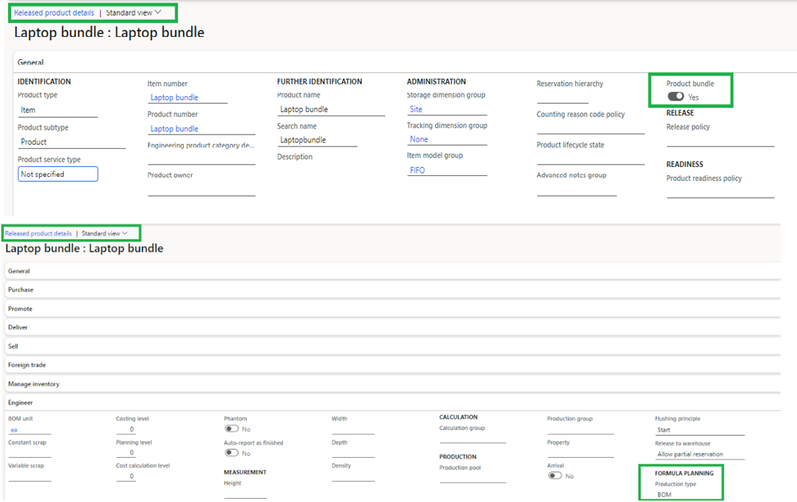
To set up the product bundle, there are two actions that need to be taken on the Released Product Form of the Product Information Management Module:
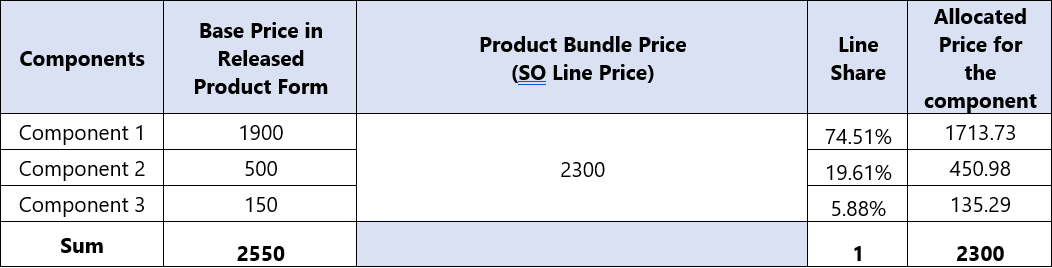
This feature uses the base sales price of each component item, in the released product form, to determine the allocation factor when the parent item’s unit price is allocated to the component items.
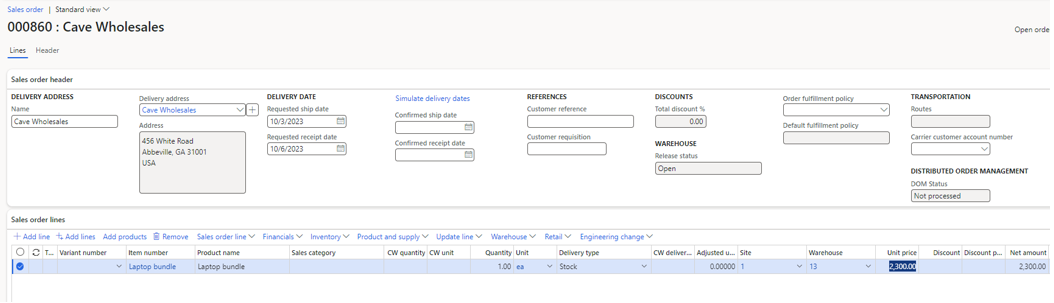
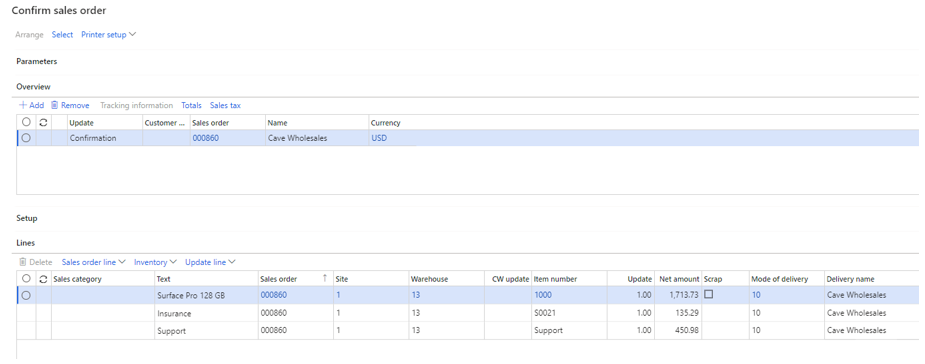
As mentioned earlier, to create the sales order, just the parent item needs to be manually entered. By confirming the SO, the parent item explodes into the component items automatically.
The details are shown in these two following pictures:
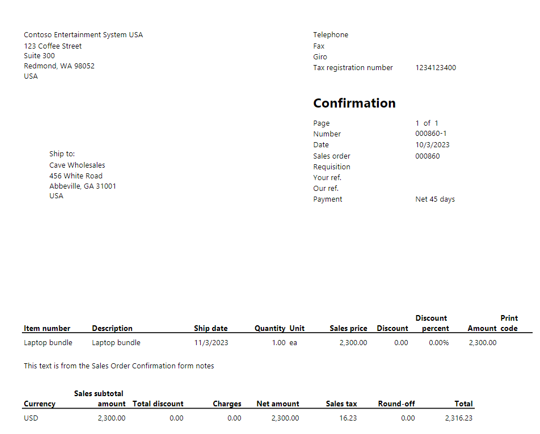
However, because the printed confirmation report is the external-facing document for the customer, it shows only the parent item of the product bundle, as shown in the following illustration.
The details of price allocation are clear in the following table:
Feature: Multiple product receipt postings per load
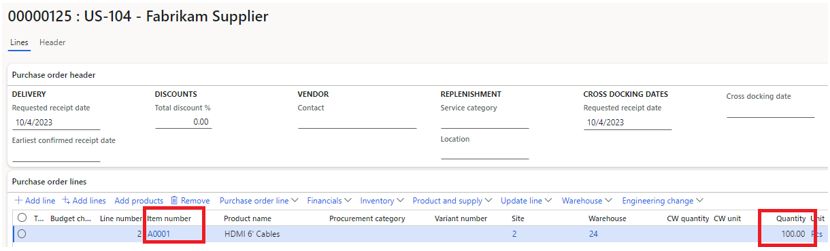
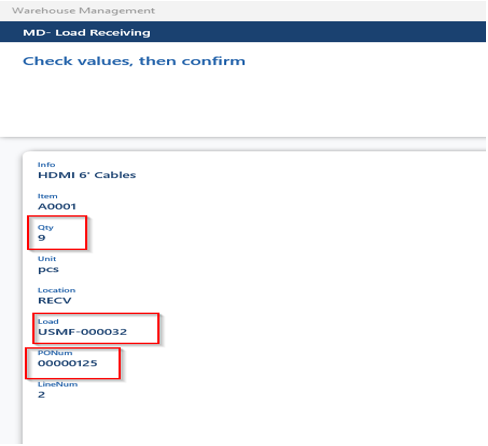
This feature was already available in the system, but now Microsoft has made it mandatory, as it is so useful in daily warehouse operations. This feature:
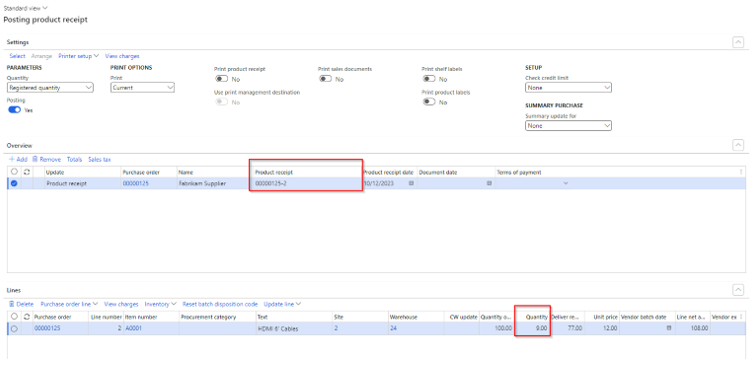
The posted receipt can be found on the product receipt form:
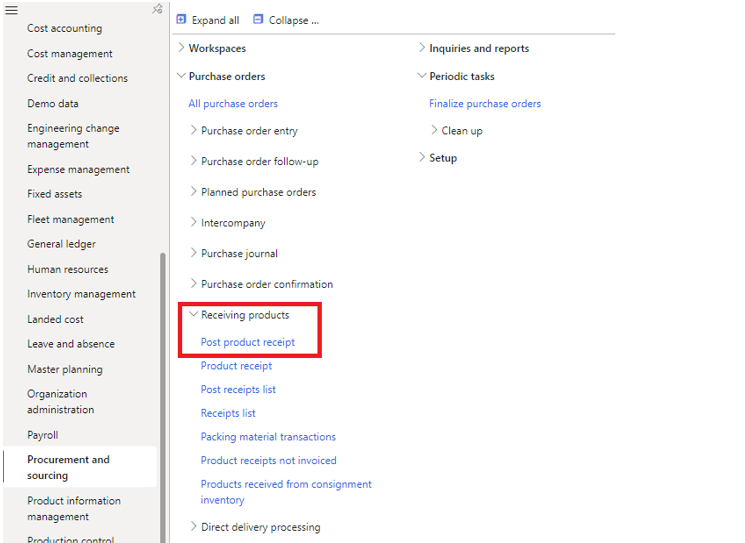
Posting second product receipt using the standard job in the path:
Procurement and Sourcing Module –> Receiving Products –> Post Product Receipt
Feature: Inform vendors about when to ship items
Purchase orders in Dynamics 365 Supply Chain Management currently include a delivery date, which specifies when the order should be received at your company’s location. This feature adds a ship date, specifying the date the vendor should ship from their location.
The system calculates the ship date according to the new transportation days setup, which lets you define the number of days needed to transport items between a vendor’s location and your locations. When master planning suggests a date for placing a planned order, it will also consider the transportation days set up to help make sure the goods will arrive at your location on time
We hope that this blog has assisted you in exploring some of the recently introduced features that can enhance the success and efficiency of your business with Microsoft Dynamics 365 Finance and Supply Chain Management!
As you enjoy the benefits of these latest platform updates, remember to maintain the security and proper functioning of your system by subscribing to our Solution Maintenance service. Ensure that your solution remains up to date.
If you have any questions, please feel free to contact us via email at service@companial.com
Geen berichten gevonden!
News
For years we have worked alongside you as three companies with one shared purpose: helping Microsoft Dynamics partners grow.
Discover new Companial ↗